
How Event Cameras Can Make Your Next Business Gathering Better
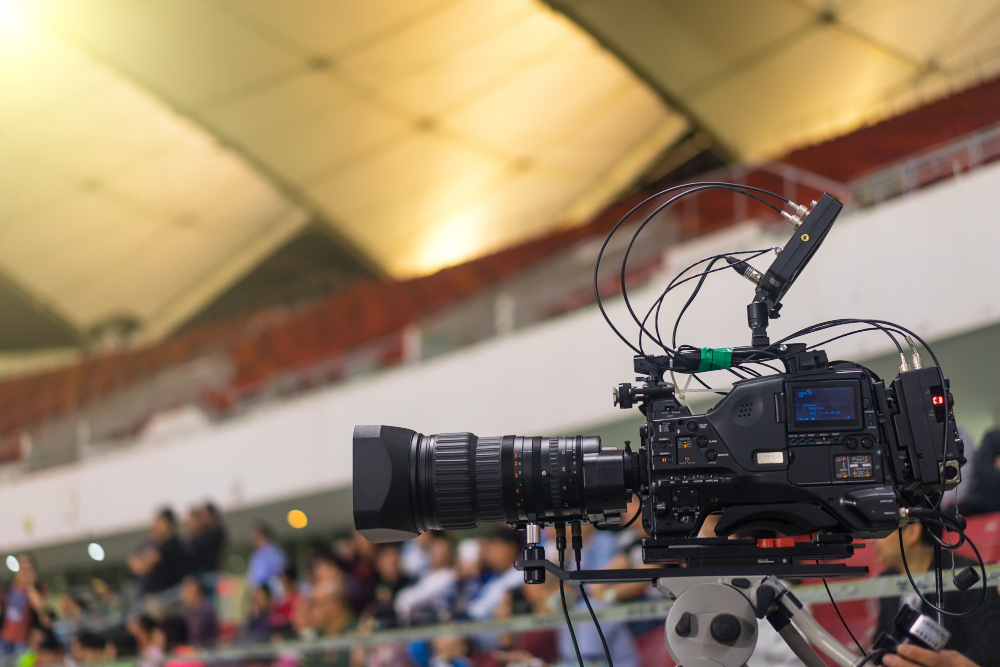
A successful business event is not only about what happens inside the venue. It is also about how well those important moments are captured and shared with people who cannot attend in person. From keynote speeches and product launches to conferences and company celebrations, good visual coverage helps preserve valuable content while giving remote audiences a way to stay involved. With the right planning, Camera Hire for Events can support both in-person coverage and live broadcasting, making it easier to create a smooth experience for everyone watching or attending.
Start By Understanding What You Need To Capture
Before choosing cameras, think about the important moments you want viewers to see. A keynote speaker may need a close camera angle, while a panel discussion works better with several angles that can switch between speakers. Product demonstrations, audience reactions, and presentation screens may also need dedicated coverage. Making a simple shot list before the event helps the camera team understand what matters most and reduces confusion once the program begins.
Consider The Venue Layout
The location of your event can affect camera placement more than expected. A small meeting room may only need one or two cameras, while a large conference venue can benefit from several positions. You also need to consider lighting, stage height, audience seating, cables, and areas where cameras can operate without blocking guests. Planning these details early creates better footage while keeping the venue comfortable for everyone.
Think About Live Streaming From The Beginning
If you are asking, Can someone livestream our business event?, the answer is yes, but successful streaming requires more than simply pointing a camera at the stage. A professional broadcast may involve multiple cameras, clear audio, stable internet, switching equipment, presentation feeds, and technical monitoring. Planning streaming requirements alongside camera coverage makes it easier to deliver a reliable broadcast without compromising the experience of people attending the event.
Good Audio Is Just As Important
High quality video cannot compensate for poor sound. Online viewers will quickly lose interest if speeches are difficult to hear or background noise overwhelms the presenter. Cameras should work alongside suitable microphones and an audio system that can capture clear speech and other important sounds. Testing these connections before the event gives the production team time to correct problems and create a much better viewing experience.
Multiple Camera Angles Add Energy
One fixed camera can capture an event, but several camera angles can make the final production much more engaging. A wide shot establishes the venue, a closer angle focuses attention on the speaker, and another camera can capture audience reactions or demonstrations. During a live stream, switching between these views keeps the broadcast visually interesting and helps remote viewers feel more connected to what is happening in the room.
Rehearsals Prevent Last Minute Problems
A technical rehearsal is one of the simplest ways to improve event coverage. Camera operators can test positions, focus, movement, and lighting while the streaming team checks internet connections and broadcasting equipment. Presenters can also become familiar with where cameras are positioned. Running through the event schedule once before guests arrive gives everyone a clearer idea of what to expect and reduces unnecessary pressure during the live program.
Keep Remote Viewers Involved
A live stream should feel like part of the event rather than an afterthought. Welcome online attendees, include their questions when possible, and make sure presentation slides are easy to see. A well planned broadcast gives remote viewers a reason to stay engaged throughout the program. When speakers acknowledge online participants and the production team keeps the visuals varied, the distance between the physical and digital audience becomes much smaller.
Capture Content That Lasts Beyond The Event
One major benefit of professional event coverage is that the content can continue to provide value after the event finishes. Recordings can become training material, social media clips, promotional videos, internal presentations, or highlights for future events. This makes careful camera planning useful even when the primary goal is a live broadcast. A few well captured moments can provide content that continues working for the organization long after the venue has been cleared.
Conclusion
Good event coverage begins with understanding the audience, planning camera positions, and thinking about live streaming before the event starts. Reliable equipment, clear audio, multiple viewpoints, and careful rehearsals all help create a professional experience for people in the venue and those watching remotely. When camera production and streaming work together naturally, important business moments can reach a much wider audience without losing the atmosphere of the live event. A little preparation can turn a simple recording into valuable content that continues to serve the organization long after the final presentation ends.

Leave a Reply